Section View
Section view is an Onshape tool that allows you to temporarily cut parts to be able to see their insides.
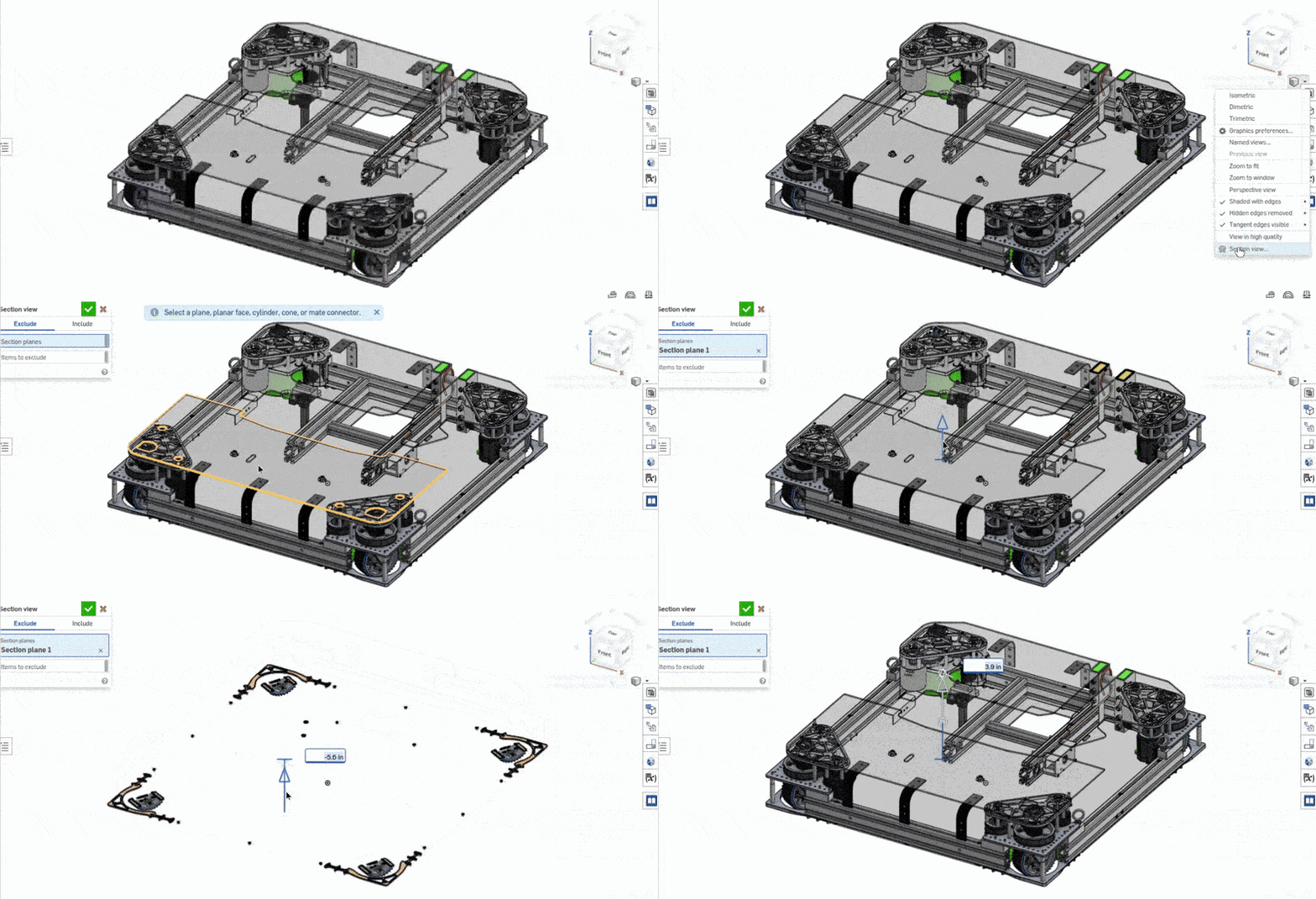
Using Section View
-
Click on the "Camera and Render options cube" in the top right of the screen.
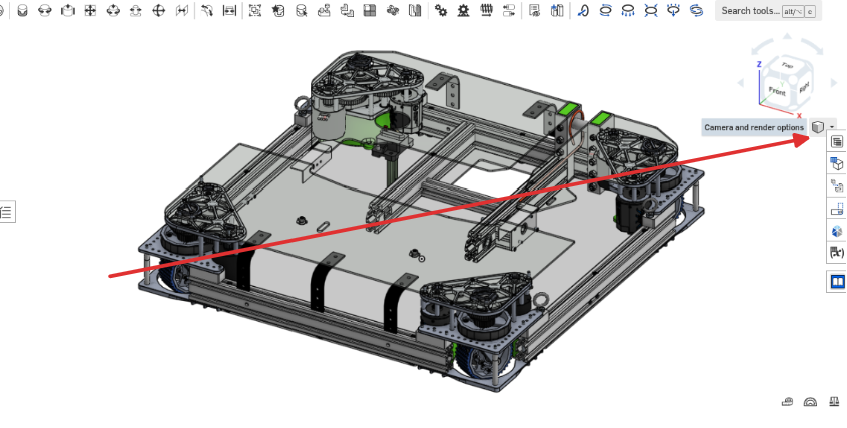
-
Click on "Section View"
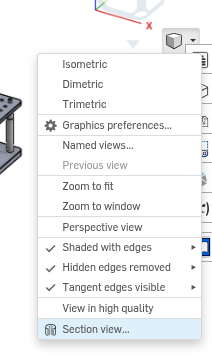
-
Select a face of the current studio
- Drag the arrow
Backlinks
No other pages link to this page.